

Pomodoro Time Management: How to Plan a Day in Pomodoros, Estimate Tasks and Track What Gets Done
The Pomodoro Technique is often used only as a timer, but it is also a time management method. Plan the day in blocks, not hours: count how many 25 minute pomodoros each task needs, add them up and compare the total with the number of blocks you realistically have, usually 8 to 12. People reliably underestimate how long their own tasks take, so tracking estimated against completed pomodoros is the part that makes your plans more accurate over time. Protect each block from interruptions: notifications and switching tasks both cost attention well beyond the moment. Note interruptions instead of acting on them, and deal with them in the break. An online timer or an app works equally well; what matters is starting each block deliberately and stopping when it ends.
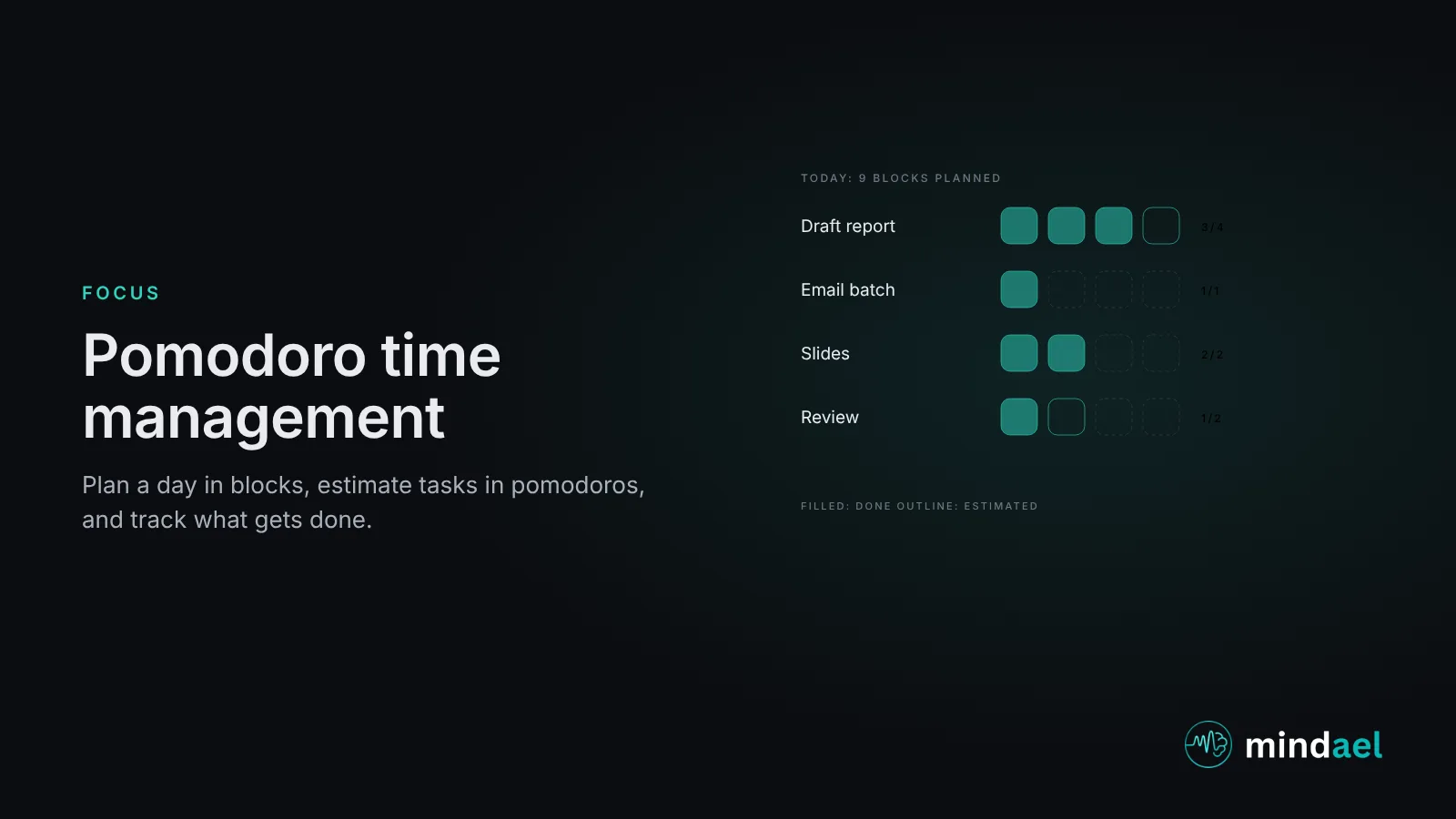
Pomodoro time management is the part of the Pomodoro Technique most people skip. They use the 25 minute timer and ignore the planning and tracking that turn it from a focus trick into a way to run a day. This article covers that part: planning in blocks, estimating tasks, handling interruptions and learning from what you track. We make Mindael, a sound app with a focus timer, free to download on the App Store, but any timer, online or on your desk, works for the method.
Plan the day in blocks, not hours
An 8 hour day is not 16 pomodoros. Meetings, messages, lunch and breaks eat into it, and most people manage 8 to 12 real focus blocks on a full day. So the first step is honest: how many blocks do you actually have today?
Then list the tasks and estimate each one in pomodoros, one to four each. Anything bigger gets split into smaller tasks. Add up the estimates. If the total is more than the blocks you have, decide now what moves to tomorrow, rather than finding out at 6 p.m.
Estimate, then check
Here is why tracking matters. People are reliably too optimistic about their own tasks: in a series of studies, students and workers predicted they would finish projects well before they actually did, even when they knew similar tasks had run late before (Buehler et al., 1994). Planning in pomodoros does not remove that bias, but it exposes it.
At the end of each day, write the estimate next to the actual number of blocks for each task. After a week or two you will see your own pattern, such as “writing takes 1.5 times my estimate”, and your plans start to match reality.
Protect each block
Interruptions cost more than the minutes they take. In an office study, people interrupted while working finished as fast but reported more stress, frustration and effort (Mark et al., 2008). Switching tasks leaves “attention residue”: part of your mind stays on the previous task, and performance on the next one suffers (Leroy, 2009).
So inside a block: phone out of reach, messages closed, one task. When an interruption arrives, write it down and deal with it in the break. If it truly cannot wait, stop the block, handle it and start a fresh one rather than resuming the broken one.
Decide when, not just what
A plan works better when it says when. Across many studies, adding an if-then plan to a goal (“if it is 9 a.m., I start the first block on the report”) made people noticeably more likely to follow through (Gollwitzer and Sheeran, 2006). Put your first block of the day at a fixed time and attach it to something you already do, such as the first coffee.
Breaks are part of the plan
Take the 5 minute breaks and the longer break after four blocks. In a study of students, fixed Pomodoro breaks left people less tired and more motivated than breaks they chose themselves (Biwer et al., 2023). A plan with no breaks in it is a plan you will abandon by mid-afternoon.
Online timer, app or kitchen timer
All three work. A browser timer is easy but can get lost among tabs; an app can add a steady sound and keep running offline; a physical timer on the desk is a visible commitment. Choose the one you will actually start. If you are comparing apps, our best Pomodoro app checklist lists what matters, and our 25 minute timer article covers block lengths. The full method is in our Pomodoro guide, with a steady brown noise under each block.
The short version
Count the blocks you really have, estimate tasks in pomodoros, split anything over four, and move the extra to tomorrow. Protect each block from interruptions, write them down for the break, and start the first block at a fixed time. Compare estimates with actual blocks each evening, and your plans will get more accurate week by week. For a steady sound and a timer that fades, Mindael is free to download on the App Store.
Plan in blocks. Work in sound.
Mindael has brown noise generated to spec, rain recorded without loops and beta beats made in our studio, two at a time, with a focus timer that fades the sound at the end of each block. Free to download, no account, works offline, so the block keeps running when the browser does not.
- Brown noise, rain and beta beats, studio-made
- A focus timer that fades at the end of each block
- Free to download, no account, works offline
 Free · No account needed · Works offline
Frequently asked questions
How is the Pomodoro Technique used for time management?
By planning work in blocks instead of hours. Estimate how many 25 minute pomodoros each task needs, schedule only as many as you realistically have in a day, then compare estimates with what you actually completed. Over a few weeks your estimates get better.
How many pomodoros should I plan in a day?
Most people manage 8 to 12 focused blocks on a full working day, because meetings, messages and breaks take the rest. Start by planning fewer than you think, then adjust from what you actually complete.
What do I do with interruptions during a pomodoro?
Write them down and deal with them in the break. If something truly cannot wait, stop the block, handle it, and start a fresh pomodoro rather than resuming the broken one.
Is an online Pomodoro timer as good as an app?
For the method, yes. A browser timer, a kitchen timer or an app all work. An app can add a steady sound and work offline; a browser tab can be lost among other tabs. Pick the one you will actually start.
What if a task takes more than four pomodoros?
Break it into smaller tasks of one to four pomodoros each. Large estimates are usually wrong, and a smaller task is easier to start and to track.
Does the Pomodoro Technique work for everyone?
Not exactly as written. Many people adjust the block length, using 45 or 50 minutes for deep work. The useful parts are the fixed blocks, real breaks and tracking; change the numbers to suit your work.
Sources
- Buehler R, Griffin D, Ross M. Exploring the "planning fallacy": why people underestimate their task completion times. Journal of Personality and Social Psychology, 1994.
- Biwer F, et al. Understanding effort regulation: comparing "Pomodoro" breaks and self-regulated breaks. British Journal of Educational Psychology, 2023.
- Mark G, Gudith D, Klocke U. The cost of interrupted work: more speed and stress. Proceedings of CHI 2008, 2008.
- Leroy S. Why is it so hard to do my work? The challenge of attention residue when switching between work tasks. Organizational Behavior and Human Decision Processes, 2009.
- Gollwitzer PM, Sheeran P. Implementation intentions and goal achievement: a meta-analysis of effects and processes. Advances in Experimental Social Psychology, 2006.
This article is part of our pomodoro guide. Hear the sounds in this article in the Mindael sound library, or see our app comparison checklists.