
iPhone Sleep Timer: How to Stop Music and Sounds Automatically at Night
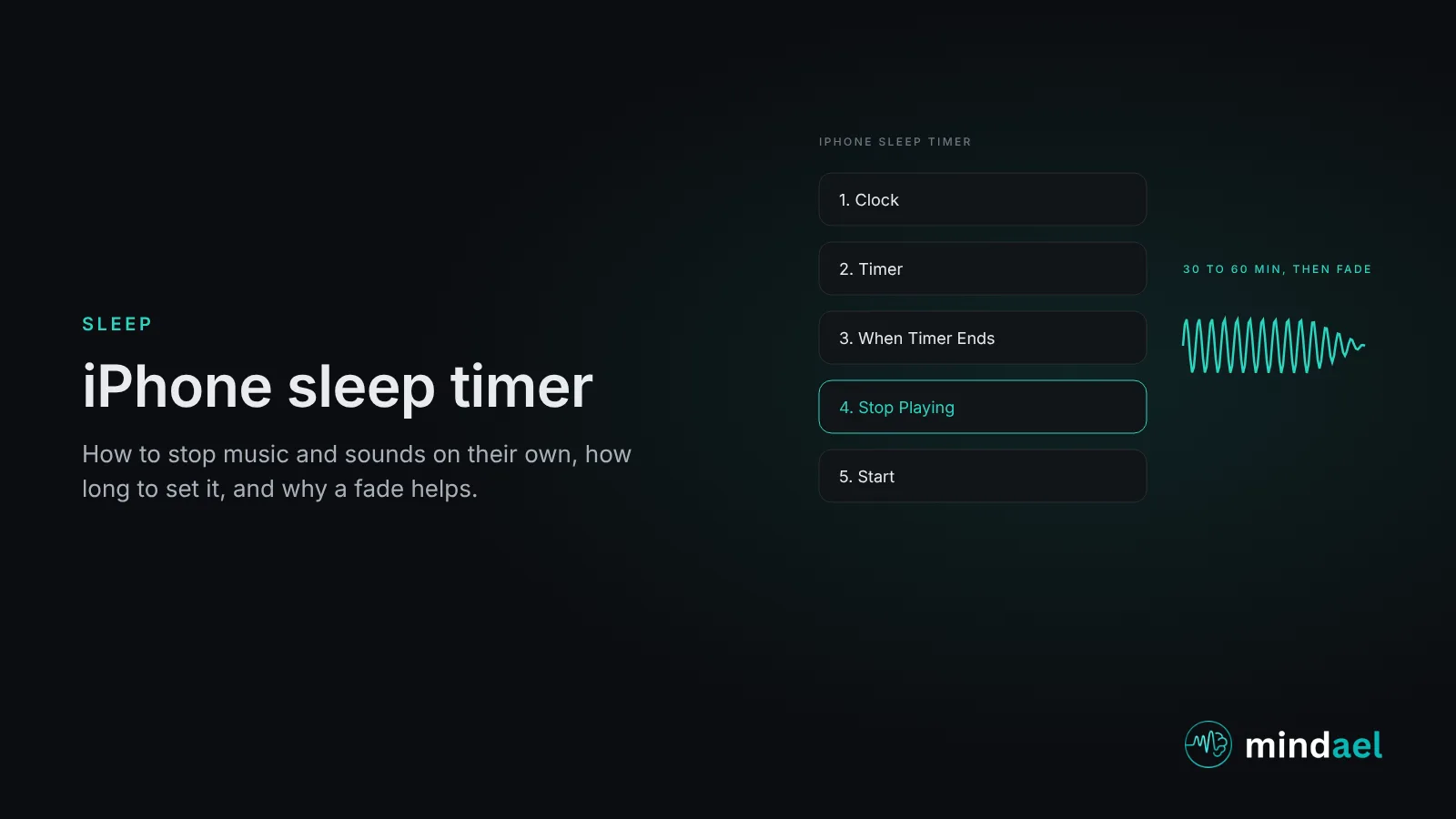
An iPhone has a sleep timer built into the Clock app: open Timer, choose a length, tap When Timer Ends, pick Stop Playing at the bottom of the list, then start it. When the timer runs out, whatever is playing stops, whether that is music, a podcast or a sleep sound. Many music and podcast apps also have their own sleep timer in the playing screen's menu. How long to set it? Long enough to fall asleep, usually 30 to 60 minutes; a Cochrane review found that listening to music improved self-reported sleep quality in adults with insomnia, and none of the studies reported harm. A gradual fade is gentler than a hard stop, which can wake you if you are only just drifting off. Keep the volume low, put the phone face down away from the bed, and avoid scrolling once the timer is set: in a lab study, reading on a light-emitting screen before bed delayed sleep and the body clock compared with a printed book.
An iPhone sleep timer lets you fall asleep to music, a podcast or a sleep sound without it playing all night. The option is built into the Clock app, though it is a little hidden. This guide shows how to set it, how long to choose, and why a gentle fade works better than a hard stop. We make Mindael, a sleep sound app with a timer that fades, free to download on the App Store.
How to set a sleep timer on iPhone
- Open the Clock app and tap Timer at the bottom.
- Set the length, for example 45 minutes.
- Tap When Timer Ends.
- Scroll to the bottom and choose Stop Playing, then tap Set.
- Tap Start, then open your music, podcast or sleep sound app and press play.
When the timer runs out, the audio stops. The setting stays on Stop Playing until you change it, so remember to switch it back if you use the timer for cooking.
Timers inside apps
Many music and podcast apps have their own sleep timer, usually in the menu on the playing screen. Sleep sound apps often have one on the main screen. An in-app timer is handy because it can fade the sound out rather than cutting it off.
How long to set it
Long enough to fall asleep, which for most people is 30 to 60 minutes. If you often wake when the sound stops, set it longer. Music before sleep has decent support: a Cochrane review found that listening to music improved self-reported sleep quality in adults with insomnia, and none of the studies reported harm (Jespersen et al., 2022). Our calm music for sleep guide covers what to play.
Fade, do not cut
A sudden silence can pull you out of light sleep, especially in the first half hour. A slow fade over the last minute or two is far gentler. If your app does not fade, choose a steady sound such as rain or brown noise at a low volume, where the change is less noticeable.
Set it, then put the phone down
The timer only helps if you stop using the phone. In a lab study, reading on a light-emitting screen before bed made people take longer to fall asleep and delayed their body clock compared with reading a printed book (Chang et al., 2015). Start the timer, turn the screen face down and keep the phone out of reach. A few minutes of deep breathing for sleep is a good way to fill the time instead.
The short version
On iPhone, open Clock, Timer, When Timer Ends, Stop Playing, and start it. Choose 30 to 60 minutes, keep the volume low, and prefer a fade to a hard stop. For sleep sounds with a timer that fades, Mindael is free to download on the App Store, and our sleep sounds guide has more.
Sleep sounds that fade instead of stopping.
Mindael has rain and ocean recorded without loops and brown, pink and white noise generated to spec, two at a time, with a timer that fades the sound out at the length you choose. Free to download, no account, works offline.
- Rain, ocean and four noise colours
- A timer that fades out instead of cutting off
- Free to download, no account, works offline
 Free · No account needed · Works offline
Frequently asked questions
How do I set a sleep timer on my iPhone?
Open the Clock app, tap Timer, set the length, tap When Timer Ends, scroll to the bottom and choose Stop Playing, then tap Start. Whatever is playing stops when the timer ends.
Does the iPhone sleep timer work with any app?
The Clock app's Stop Playing option stops audio from most apps, including music, podcasts and sleep sound apps. Some apps also have their own timer in the playing screen.
How long should a sleep timer be?
Long enough to fall asleep, usually 30 to 60 minutes. If you often wake when the sound stops, set it longer or use a sound that fades out.
Is it bad to play music all night?
At a low volume, music or steady sound is generally fine for adults, and a Cochrane review found no reported harms from music for sleep. A timer saves battery and avoids sound you do not need once you are asleep.
Why does the sound stopping wake me up?
A sudden change in sound can pull you out of light sleep. A slow fade at the end is gentler, which is why some sleep sound apps fade instead of stopping.
Should I use earbuds with a sleep timer?
Only at a low volume, and preferably not. A speaker on the nightstand, set quiet, is easier on your ears and more comfortable for side sleeping.
Sources
- Jespersen KV, Pando-Naude V, Koenig J, Jennum P, Vuust P. Listening to music for insomnia in adults. Cochrane Database of Systematic Reviews, 2022.
- Chang AM, Aeschbach D, Duffy JF, Czeisler CA. Evening use of light-emitting eReaders negatively affects sleep, circadian timing, and next-morning alertness. PNAS, 2015.
This article is for general information and is not medical advice. If you regularly struggle to fall or stay asleep, talk to a doctor.
This article is part of our sleep guide. Hear the sounds in this article in the Mindael sound library, or see our app comparison checklists.